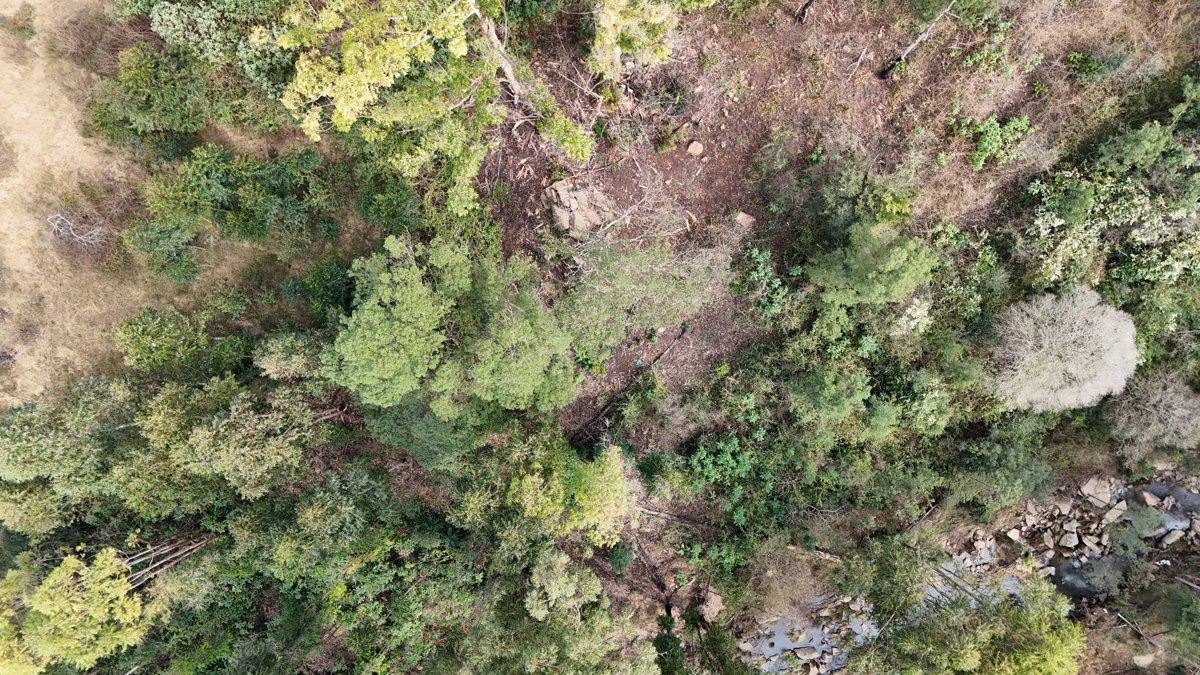
Drone 3d model of NYANDENI HARDWARE Jumbo in boxer libode
Processed: September 24, 2025 • Location: Libode, EC ZA
Aerial drone 3d model in Libode, Ec, ZA
About this 3D model
Processed: September 24, 2025 • Location: Libode, EC ZA
This page displays a browser-based drone 3D model of NYANDENI HARDWARE Jumbo in Libode, EC. Captured and processed on September 24, 2025, the viewer lets you pan, zoom, and inspect details without extra software. Switch visualization modes to emphasize height, edges, or texture. What you can inspect: roofs and facades, grade and elevation, surface materials, and overall site layout. Typical uses include documentation, inspections, construction progress, asset management, and planning. Where available, you can export the textured 3D model (OBJ), point cloud (.laz), and orthophoto (.tif). Location context: centered near Libode, EC (-31.54199° N, 29.00990° W). If you need a new capture for a nearby property, request a local pilot. How it was made: overlapping aerial photos were processed by photogrammetry into a dense point cloud and mesh, then tiled for the web. Processing finished on September 24, 2025. Use the controls to fit the view, toggle visualization, and explore details at full resolution.
Explore this area
Common questions
Edit this point cloud in PointCloudEditor
Bring this model into a browser-based editing workspace for cleanup, layers, annotations, and export.
Turn this viewable point cloud into an editable project.
PointCloudEditor lets you import this point cloud URL, then clean, organize, align, annotate, share, and export the edited result from one shared browser workspace.
How to start
- Copy the current viewer URL.
- Open PointCloudEditor and create a project.
- Choose an import from URL / hosted point cloud option.
- Paste this URL and start editing in the browser.
✂️ Delete, crop, cut, and copy
Select unwanted points, remove noise, crop problem areas, copy useful regions, or paste patches into cleaner deliverables.
🧱 Work with layers
Keep original scans, pasted selections, cleanup regions, and repair patches organized as separate layers with visibility controls.
🔀 Merge and align scans
Move, rotate, scale, and align point-cloud layers so multiple captures can be combined into one shared workspace.
🎯 Select exactly what matters
Use lasso and volume selection workflows to isolate buildings, trees, ground areas, gaps, or cleanup regions.
📍 Annotate and measure
Add notes, distances, angles, areas, and height checks directly on the point cloud so review context stays attached to the data.
⬇️ Export cleaner results
Package the edited result for delivery after cleanup, alignment, visibility changes, and review decisions are complete.
Create a living site timeline with AerialTwin
Turn individual drone maps and models into a long-term visual record of site progress.
AerialTwin is designed for mapping, photogrammetry, construction progress, infrastructure documentation, and site monitoring workflows where a single drone scan is not enough. Instead of treating each model or orthomosaic as a separate deliverable, AerialTwin lets you organize scans into a timeline so clients, teams, and stakeholders can see how a property, project, or asset changes over time.
This is useful when you capture the same site repeatedly. Each imported point cloud, 3D model, map, or orthomosaic can become part of a dated site history. Users can move through the timeline, compare older and newer scans, review what changed, and keep visual records tied to the actual location.
Progress tracking
Show how a jobsite, property, asset, or landscape changed between drone flights instead of only delivering isolated files.
Scan-to-scan comparison
Help users compare drone scans over time, measure differences, and understand what physically changed on the site.
Context attached to the site
Add notes, photos, and videos to specific maps or point clouds so important field observations stay connected to the visual record.
Easy AerialModel imports
AerialTwin is intended to work naturally with AerialModel outputs, making it easier to bring processed drone scans into a timeline-based digital twin workflow.
Attach sensors to drone scans with AerialTwin
Connect site data to maps and point clouds so a scan becomes more than a static model.
AerialTwin allows drone scans to become the visual foundation for site monitoring. After a point cloud, map, orthomosaic, or 3D model is imported, sensors can be placed in the context of the site so users can understand where data is coming from and how conditions are changing between flights.
This is valuable because drone captures are periodic, while site conditions can change continuously. By attaching sensors to imported scans, AerialTwin can help bridge the gap between drone flights. A user can review the latest scan, see where sensors are located, monitor changing values, and configure alerts around conditions that matter for the site.
Monitor between flights
Use sensors to keep track of site conditions after the drone has left, giving teams a more continuous view of what is happening.
Custom alerts
Create alerts around important sensor values so users can be notified when conditions move outside expected ranges.
Spatial context
Place sensor information directly in relation to maps, models, and point clouds so the data is easier to understand visually.
AerialModel workflow support
Drone scans processed through AerialModel can be imported into AerialTwin so mapping outputs can become part of a monitored digital site record.
Attach notes, photos, and videos to drone scans with AerialTwin
Add field context to a specific time and location on a map, point cloud, or 3D scan.
AerialTwin lets users add context directly onto drone scans instead of keeping important site information scattered across emails, folders, inspection notes, text messages, or separate photo libraries. A note can be tied to a specific location on a point cloud, 3D model, map, or orthomosaic, and it can also be tied to a specific point in the site's timeline.
This matters for monitoring because the drone scan shows what the site looked like at the time of capture, while attached notes, photos, and videos explain what was observed, why it mattered, and what follow-up may be needed. Instead of only viewing geometry or imagery, teams can build a living record of field observations directly on top of the site data.
Notes tied to location
Place a note on a specific part of the scan so users know exactly where an issue, observation, repair, hazard, or change was found.
Context tied to time
Connect notes to a date or timeline position so users can understand when something was observed and how it relates to older or newer drone captures.
Photos and videos
Attach close-up photos, inspection videos, walkthrough clips, or supporting field media to the same site location shown in the drone scan.
Monitoring history
Build a record of observations over time so clients and teams can track recurring issues, completed work, unresolved problems, and site changes between flights.
Better handoff
Give stakeholders more than a visual model. Notes explain what they should look at, what changed, and what action may be needed.
Easy AerialModel imports
Drone scans processed through AerialModel can be brought into AerialTwin, then enriched with notes, photos, videos, sensors, and timeline context.